Connect CLIProxyAPI to Flex AI
CLIProxyAPI is a popular open-source local proxy that exposes OpenAI, Responses, Claude and Gemini-compatible interfaces for Codex, Claude Code, Gemini and other clients. It is the additional high-star local API routing tool selected for this section.
Why it was selected
Among high-star local proxy projects that are close to CC Switch and Cockpit Tools and explicitly support coding CLIs, CLIProxyAPI is a popular option with custom OpenAI-compatible upstream support. Star counts change, so refer to the official repository for the current number.
Understand the two API keys
CLIProxyAPI uses two different types of keys:
| Key | Purpose |
|---|---|
| Flex247 upstream key | Used by CLIProxyAPI to call https://api.noflex.work/v1 |
| Local client key | Used by Codex or another client to access CLIProxyAPI |
Use different values. Do not enter the local client key into Flex247, and do not expose the upstream Flex247 key directly to local clients.
1. Install
Download and extract the archive for your operating system from the official Releases page. On Windows, this is normally the windows_amd64.zip asset.
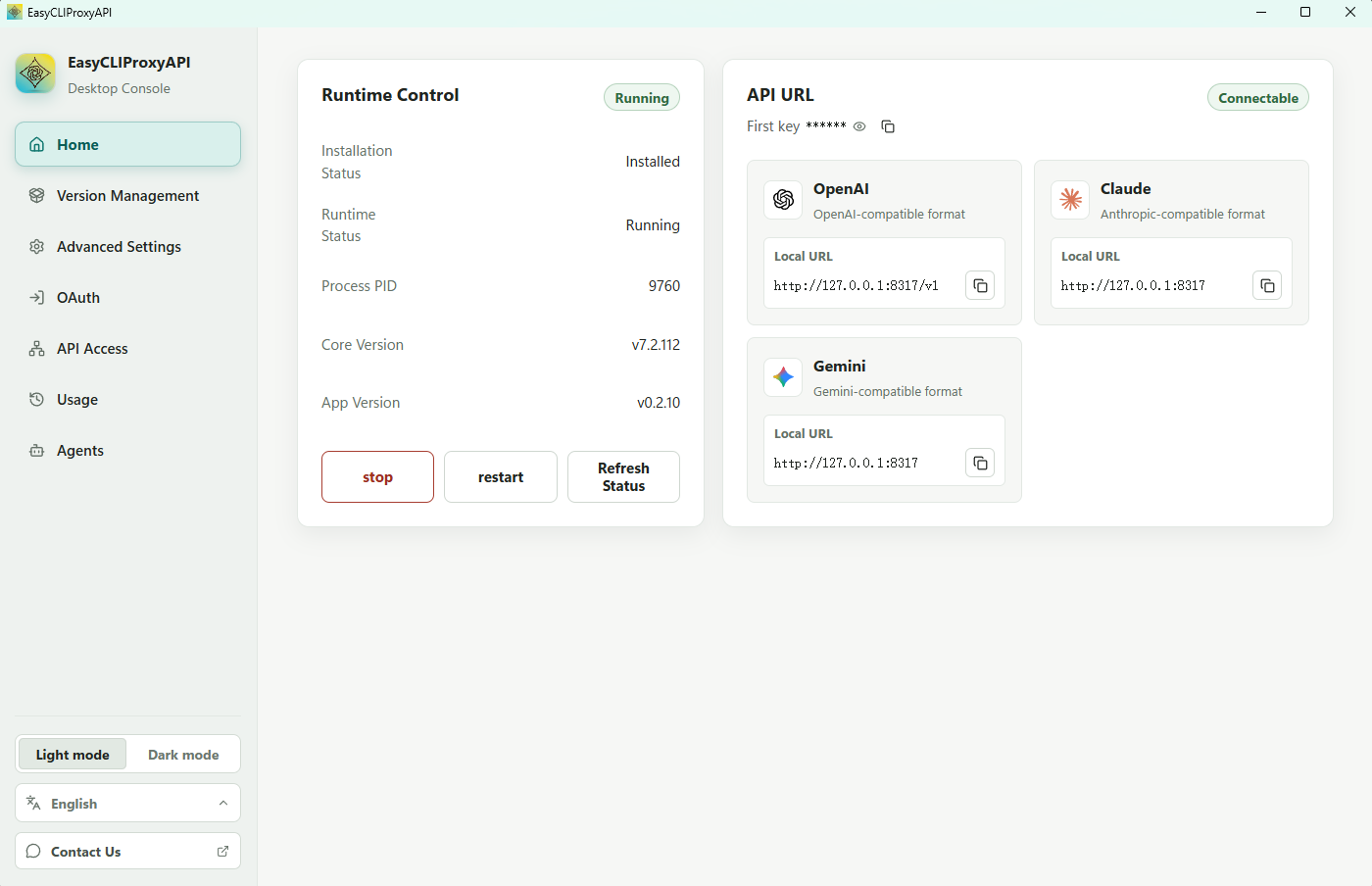
Desktop users may also use EasyCLIProxyAPI, which the project README recommends as a graphical manager. This guide uses the core CLIProxyAPI configuration so every routing value remains explicit.
2. Create config.yaml
Copy the official config.example.yaml to config.yaml, then keep the required fields. This is a minimal, local-only Flex247 example:
host: "127.0.0.1"
port: 8317

api-keys:
  - "replace-with-a-long-random-local-client-key"

openai-compatibility:
  - name: "flex247"
    base-url: "https://api.noflex.work/v1"
    api-key-entries:
      - api-key: "sk-your-flex247-key"
    models:
      - name: "gpt-5.6-luna"
        alias: "gpt-5.6-luna"
Add more exact IDs from Model Square under models:
      - name: "your-second-model-id"
        alias: "your-second-model-id"
Keep it bound to localhost
An empty host in the official example listens on all interfaces. For a personal computer, explicitly use 127.0.0.1. LAN access requires additional firewall rules, a strong random client key and proper access controls.
3. Start and test
Start the service from the extracted directory.
Windows PowerShell
.\cli-proxy-api.exe -config config.yamlmacOS / Linux
./cli-proxy-api -config config.yamlUse the local client key to check the model list:
curl.exe http://127.0.0.1:8317/v1/models `
  -H "Authorization: Bearer replace-with-a-long-random-local-client-key"
The response should include the model IDs configured under models.
4. Route Codex through the local service
Set the local client key in the current terminal:
$env:FLEX247_LOCAL_PROXY_KEY = "replace-with-a-long-random-local-client-key"Then add the following to user-level ~/.codex/config.toml (%USERPROFILE%\.codex\config.toml on Windows):
model = "gpt-5.6-luna"
model_provider = "flex247_local"

[model_providers.flex247_local]
name = "Flex247 via CLIProxyAPI"
base_url = "http://127.0.0.1:8317/v1"
env_key = "FLEX247_LOCAL_PROXY_KEY"
wire_api = "responses"
Keep CLIProxyAPI running and launch codex from the same terminal. The request path is:
Codex → http://127.0.0.1:8317/v1 → CLIProxyAPI → https://api.noflex.work/v1Troubleshooting
Invalid API key
Codex must use the local client key under api-keys, not the Flex247 upstream key under api-key-entries.
unknown provider for model
Make sure the requested model is listed under openai-compatibility.models, and that name and alias match the Codex configuration.
Cannot connect to 127.0.0.1:8317
Check that CLIProxyAPI is still running, the config.yaml path is correct, and the port is free.
Upstream 404
The upstream base-url must be https://api.noflex.work/v1, without a missing or duplicated /v1.