Connect CC Switch to Flex AI
CC Switch is a third-party cross-platform desktop tool for managing providers across Claude Code, Codex, OpenCode and other apps. Its local routing service can also record requests, track usage and apply failover.
Download only from official sources
The CC Switch documentation recommends using only ccswitch.io, GitHub Releases or the source repository. Never give an API key or login credential to an unofficial installer.
1. Install
- Windows: download
Windows.msi, or use theWindows-Portable.zipbuild. - macOS: download the
.dmg, or runbrew install --cask cc-switch. - Linux: select the
.deb,.rpmor.AppImagepackage.
Make sure Codex is installed and has been started at least once.
2. Add the Flex247 provider
- Select Codex at the top of CC Switch.
- Click + in the upper-right corner.
- Choose App-specific provider, then Custom.
- Enter these values.
| Field | Value |
|---|---|
| Name | Flex247 |
| API Endpoint / Base URL | https://api.noflex.work/v1 |
| API Key | Your dedicated Flex247 key |
| Wire API / API format | Responses |
| Model | An exact Responses-compatible model ID from Model Square |
| Local route mapping required | Off; enable it only for a Chat Completions-only upstream |
After entering the key and endpoint, click Get Models beside the model field. CC Switch calls /v1/models and lets you choose a model directly.
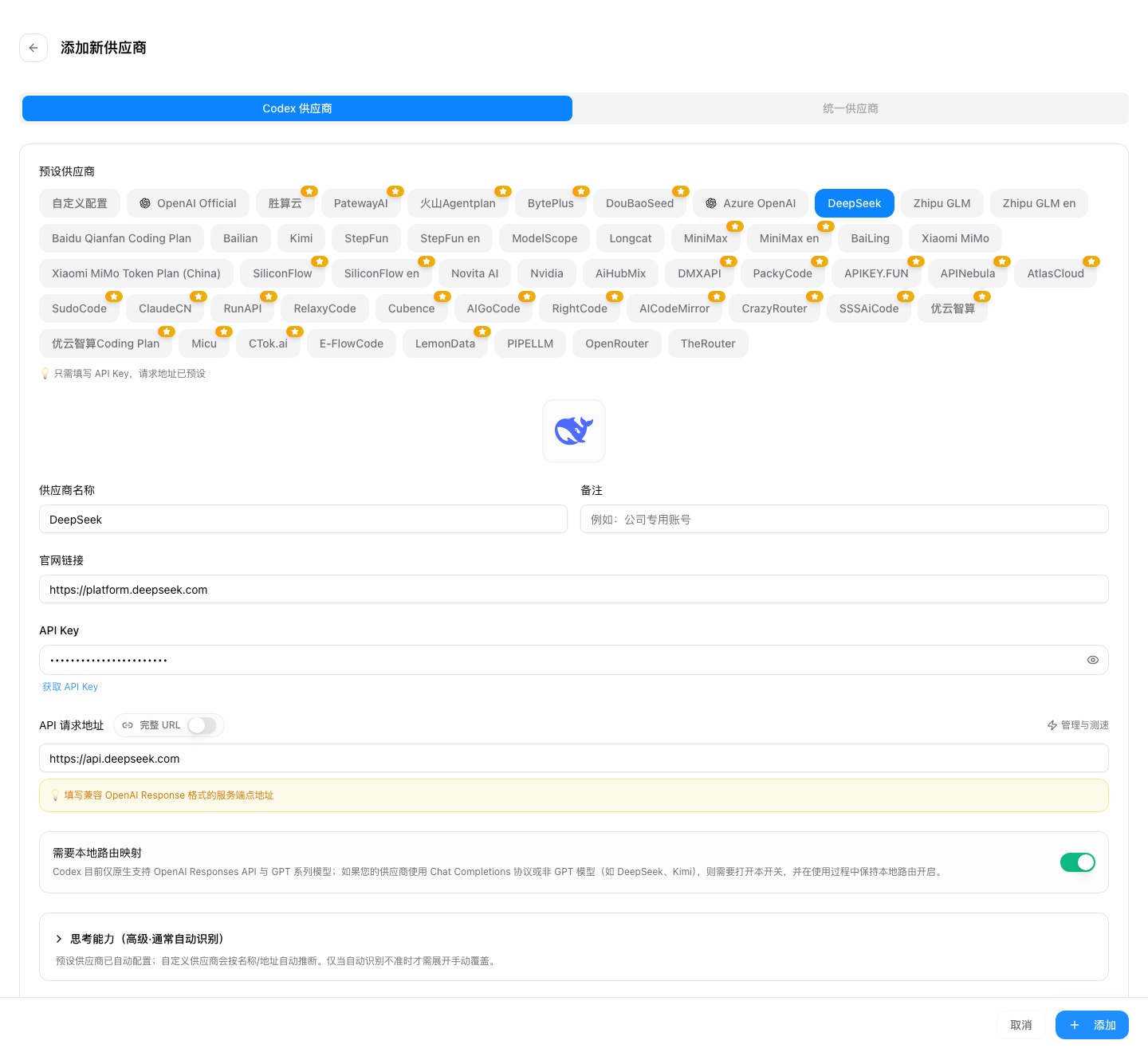

Start with gpt-5.6-luna, or select another Responses-compatible model from Model Square.
3. Save and switch
- Save the provider.
- Select
Flex247on the main screen and click Enable. - Restart Codex or open a new terminal.
- Send a read-only test request and confirm it in Flex247 Usage Logs.
If the custom screen asks for raw Codex configuration, use the following core values. Keep the API key in the CC Switch credential field rather than a public file.
model = "gpt-5.6-luna"
model_provider = "flex247"

[model_providers.flex247]
name = "Flex247"
base_url = "https://api.noflex.work/v1"
wire_api = "responses"
requires_openai_auth = true
4. Optional: enable local routing
For request logs, usage statistics or failover:
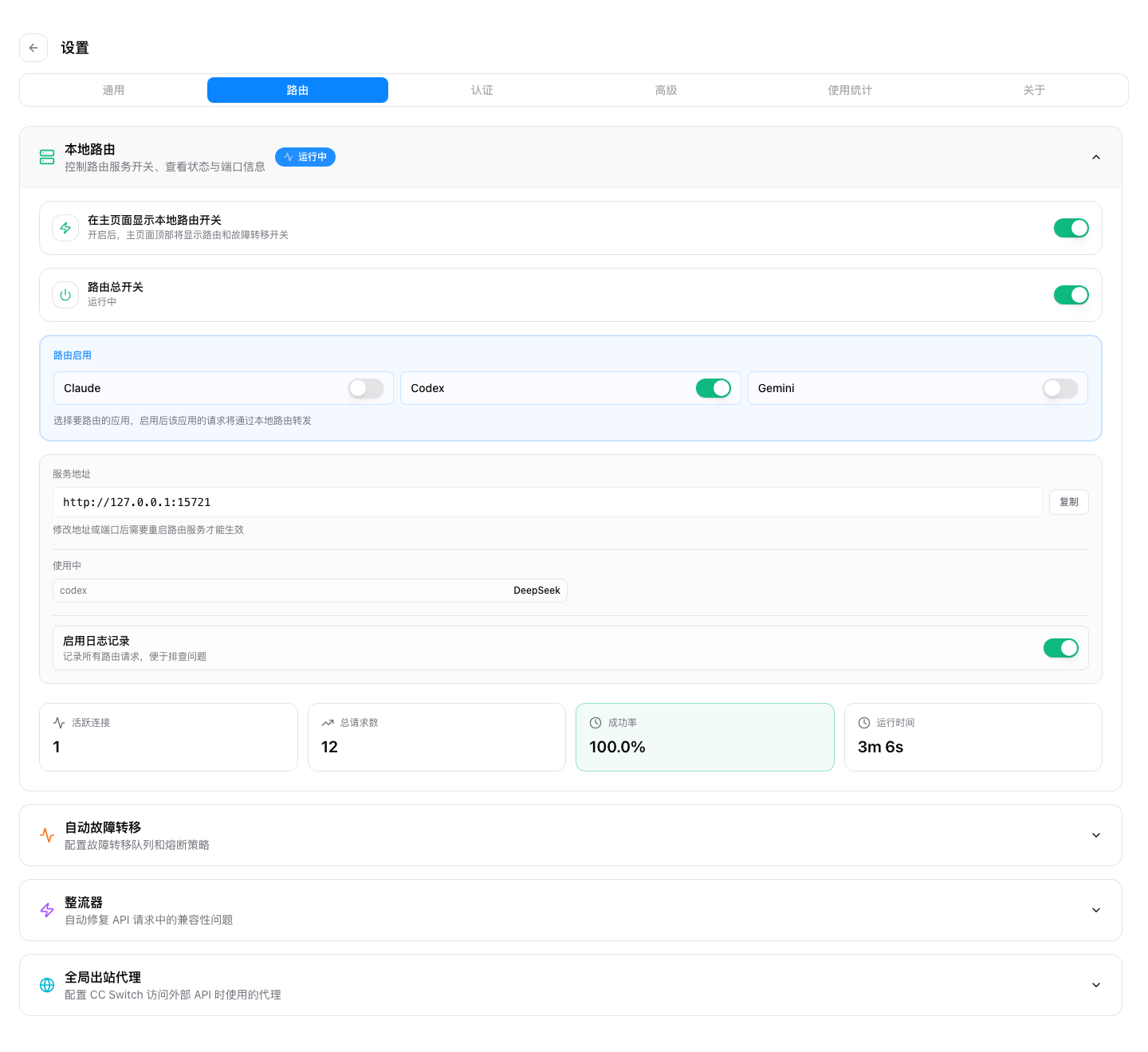
- Open Settings → Advanced → Routing Service.
- Start the routing service.
- Enable Codex Routing under App Routing.
Codex then connects to the CC Switch local endpoint, normally http://127.0.0.1:15721/v1, and CC Switch forwards requests to Flex247. Do not use this local URL as the upstream Base URL of the Flex247 provider.

Chat Completions models
For a model that supports only /v1/chat/completions:
- Change the provider protocol to Chat Completions.
- Enable Local route mapping required.
- Configure the Codex model mapping and keep the routing service running.
Codex natively uses the Responses API, so a Chat Completions-only model requires local protocol conversion.
Troubleshooting
The model list does not load
Check the API key, Base URL and account balance. The Base URL must be https://api.noflex.work/v1.
The switch does not take effect
Restart Codex and the terminal. Confirm that the active CC Switch app panel is Codex, not Claude Code or another app.
Local routing is not running
Start the service in Advanced settings before enabling Codex routing, and check that port 15721 is free.